For asset managers
Show clients and the investment committee where returns come from. Check remaining limit capacity before the trade. Build a benchmark that matches the strategy.
Who uses it and why
Contribution by position and asset class, excess return versus the benchmark, and a report that does not require reconciling files.
See whether the book stays inside the mandate before the trade: concentration, credit quality, internal limits. The portfolio manager sees remaining capacity without a separate request.
TWR/MWR, contribution and Brinson attribution on the same enriched holdings the risk team uses.
Build a target composition, compare it with the live book and reuse the same risk and performance calculations.
What asset managers run in TrackRecords
Client reporting, pre-trade limits, custom benchmarks and model portfolios.
Show where returns come from
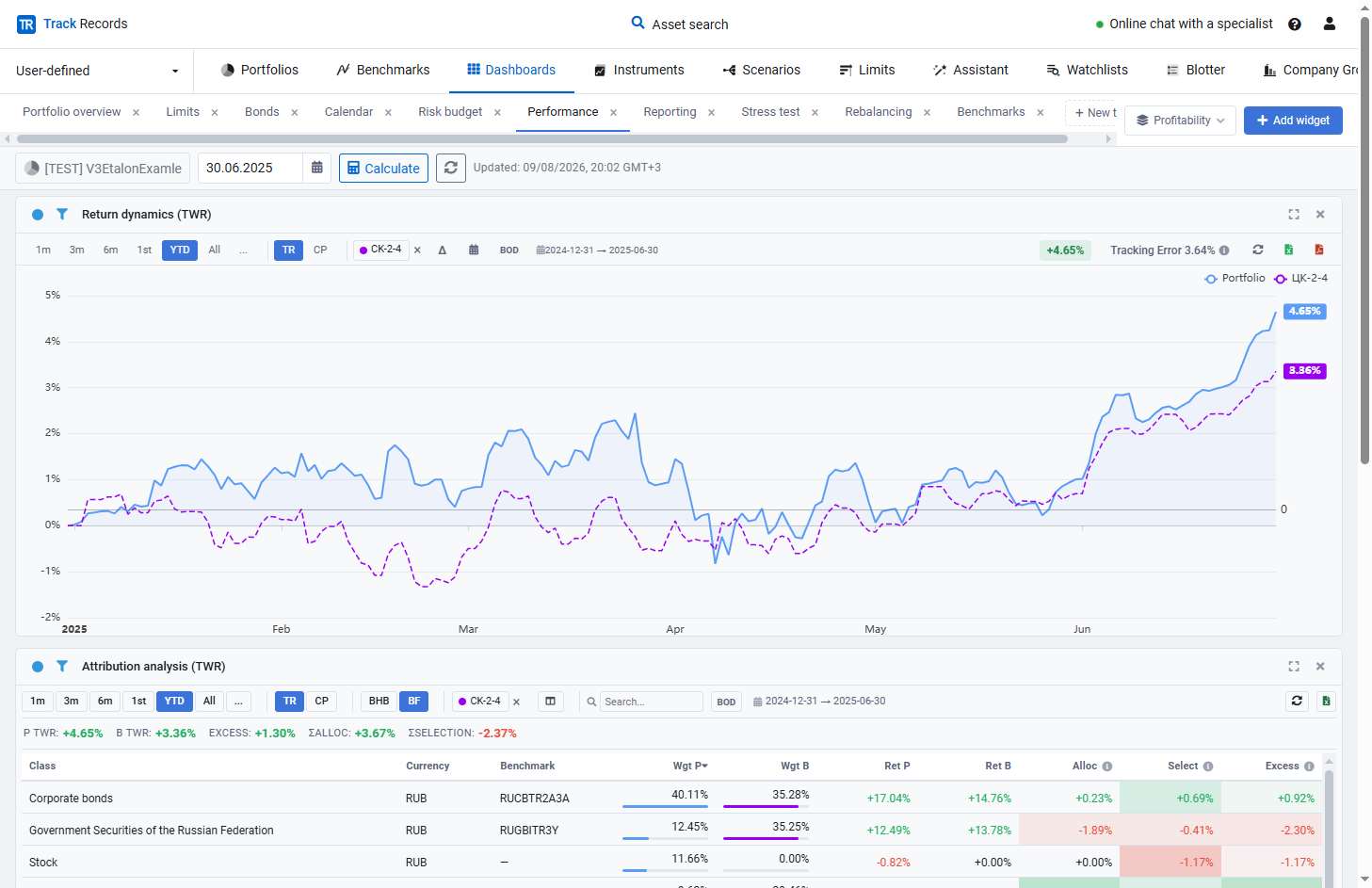
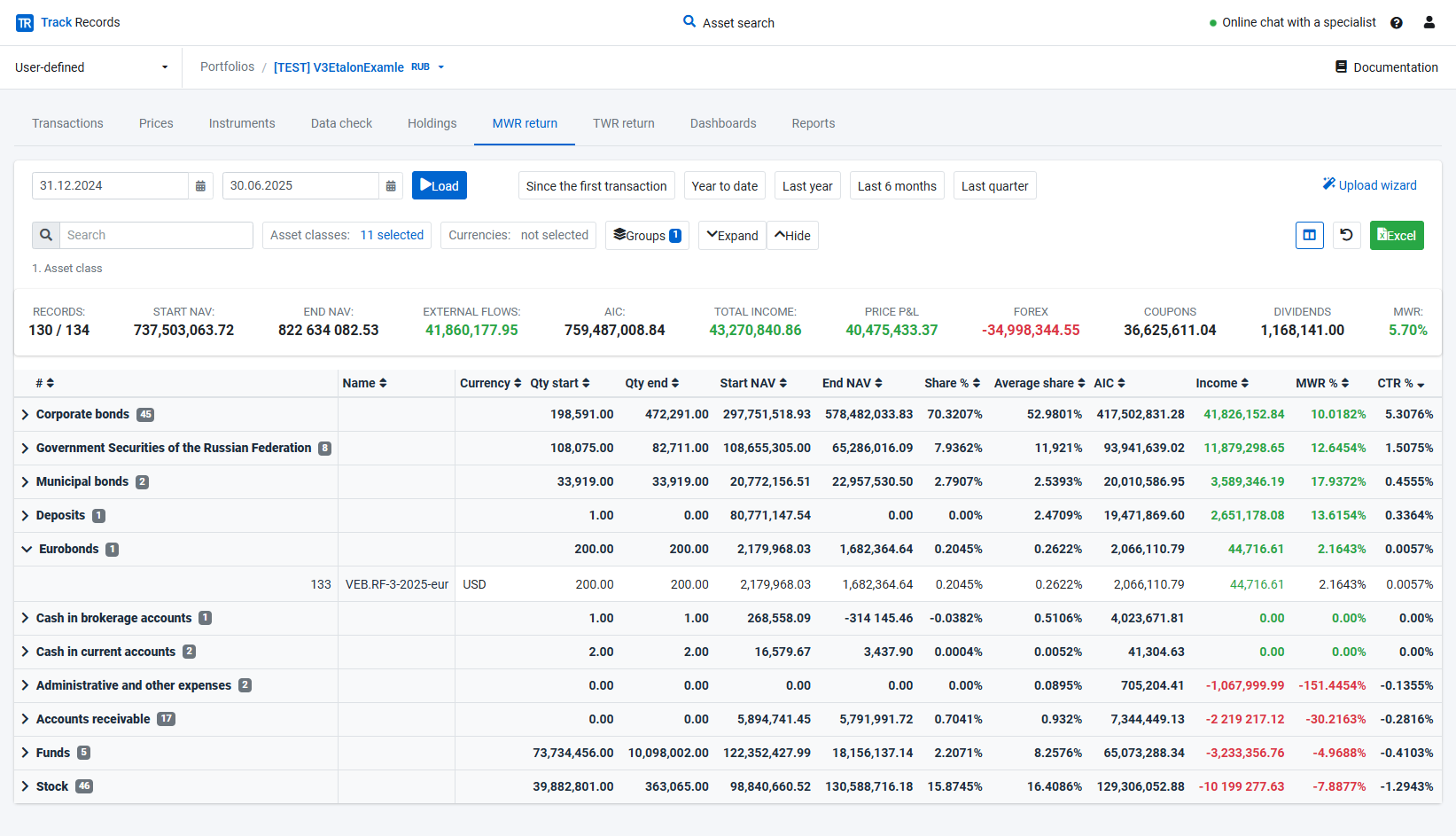
Clients need contribution and attribution, not only a headline return. TWR/MWR and Brinson run on transaction-based and snapshot portfolios.
- Contribution by instrument and asset class
- TWR and MWR
- Excess return versus the benchmark
- Reports for clients and the committee
Check limits before the trade
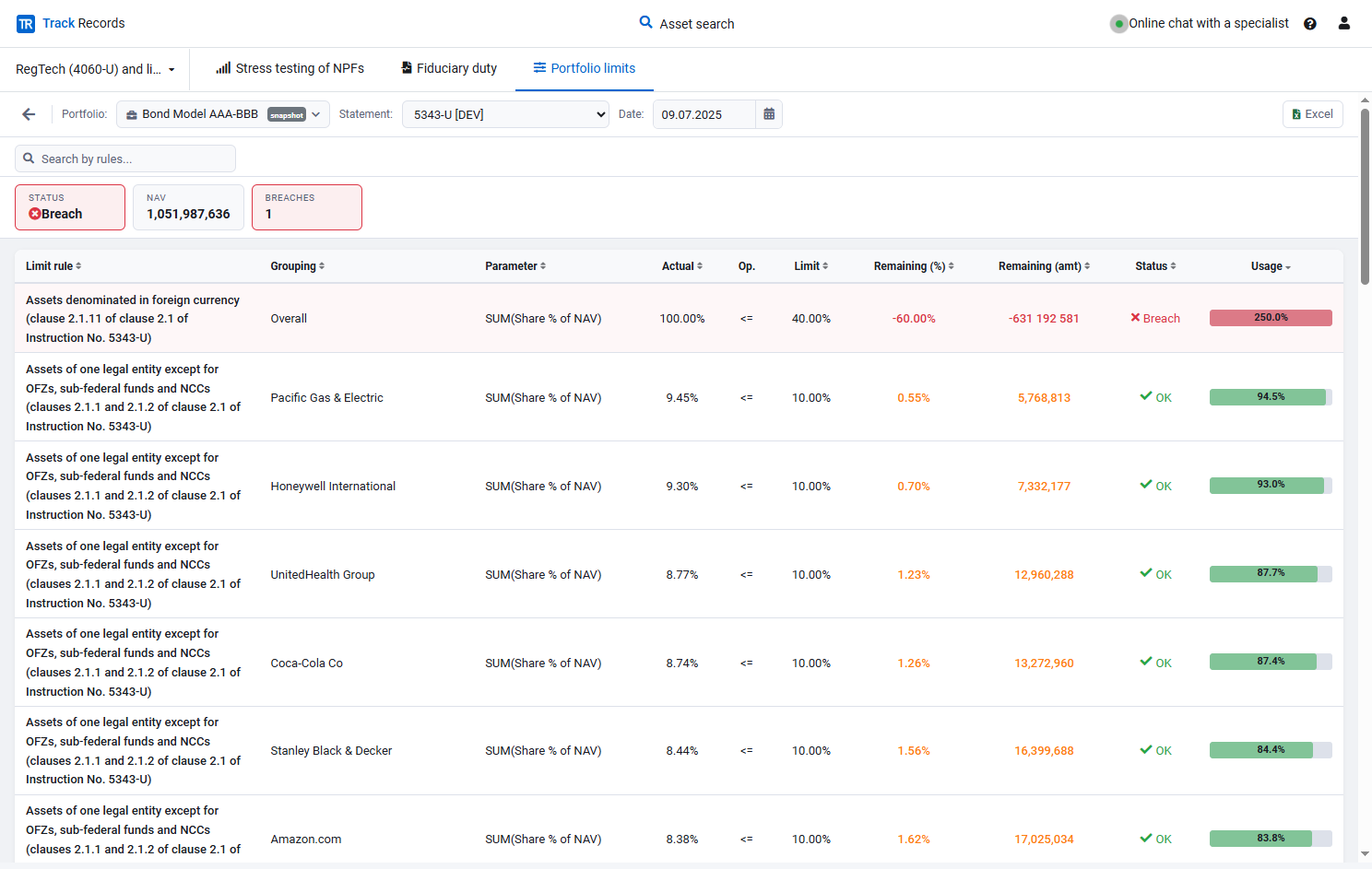
The constraint should be visible before execution: investment policy, internal mandate, concentration and credit quality.
- Remaining capacity before execution
- Investment policy and internal mandate
- Concentration and credit quality
- Post-trade checks on the executed trade
Build a benchmark that matches the strategy
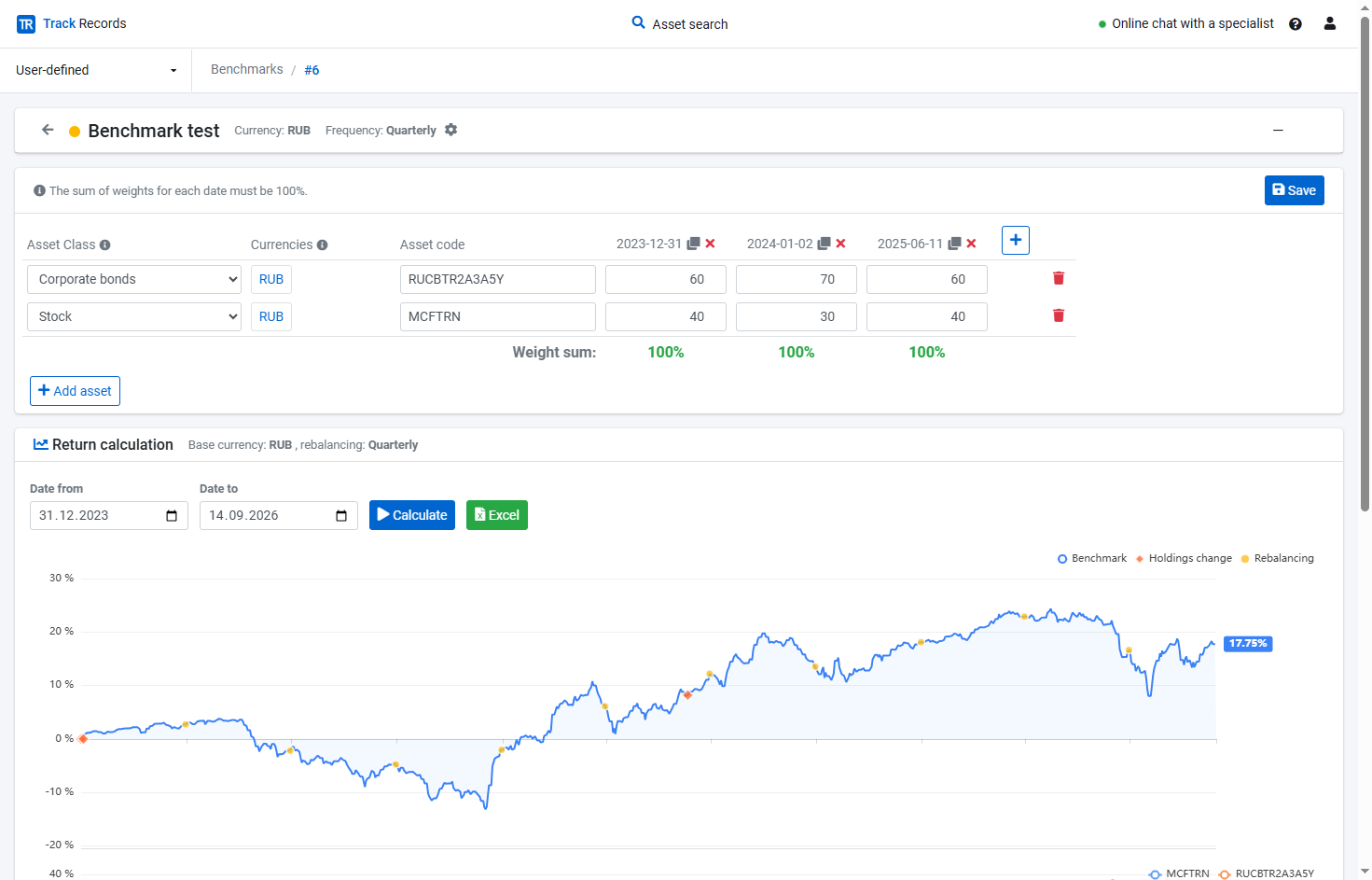
A mixed book compared only to an equity index distorts the result. Set holdings, weights, currency and rebalancing, then compare TWR automatically.
- Index or blended custom benchmark
- Target weights that sum to 100%
- TWR versus the benchmark
- Allocation and selection
Work with model portfolios
A target composition sits next to the live book. Scenario return and cash-flow forecasts use the same engine.
- Model portfolios alongside live holdings
- Shared access for the investment team
- Scenario-based return and cash-flow forecasts
- Excel export of dynamics and contributions
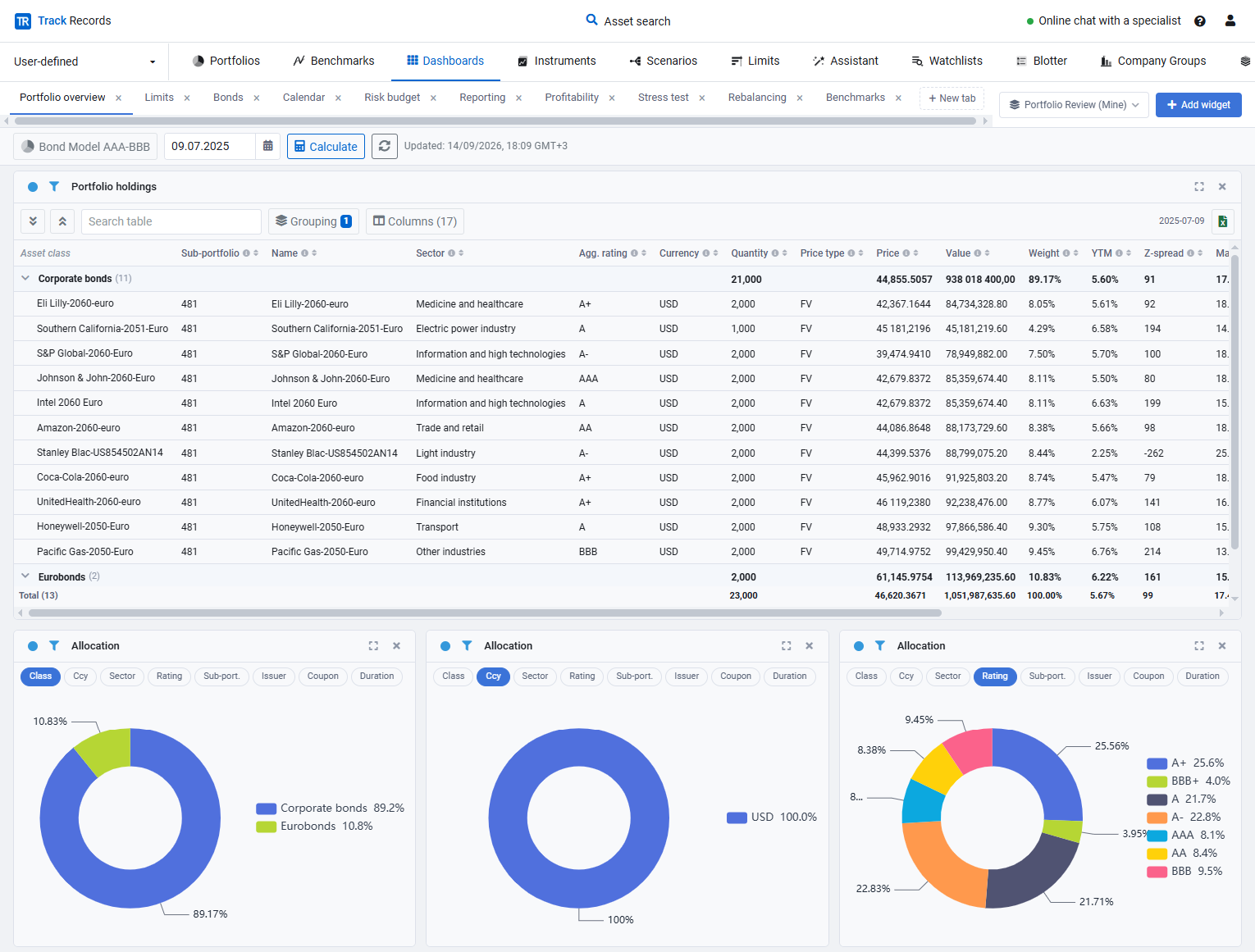
Calculate on holdings from your accounting system
Transactions and snapshots come in from the books. Returns, contribution, limits and risk metrics go back to adjacent systems through the API.
Data and automationSee TrackRecords in a live demo
We'll walk you through the platform and how it fits your investment process.